
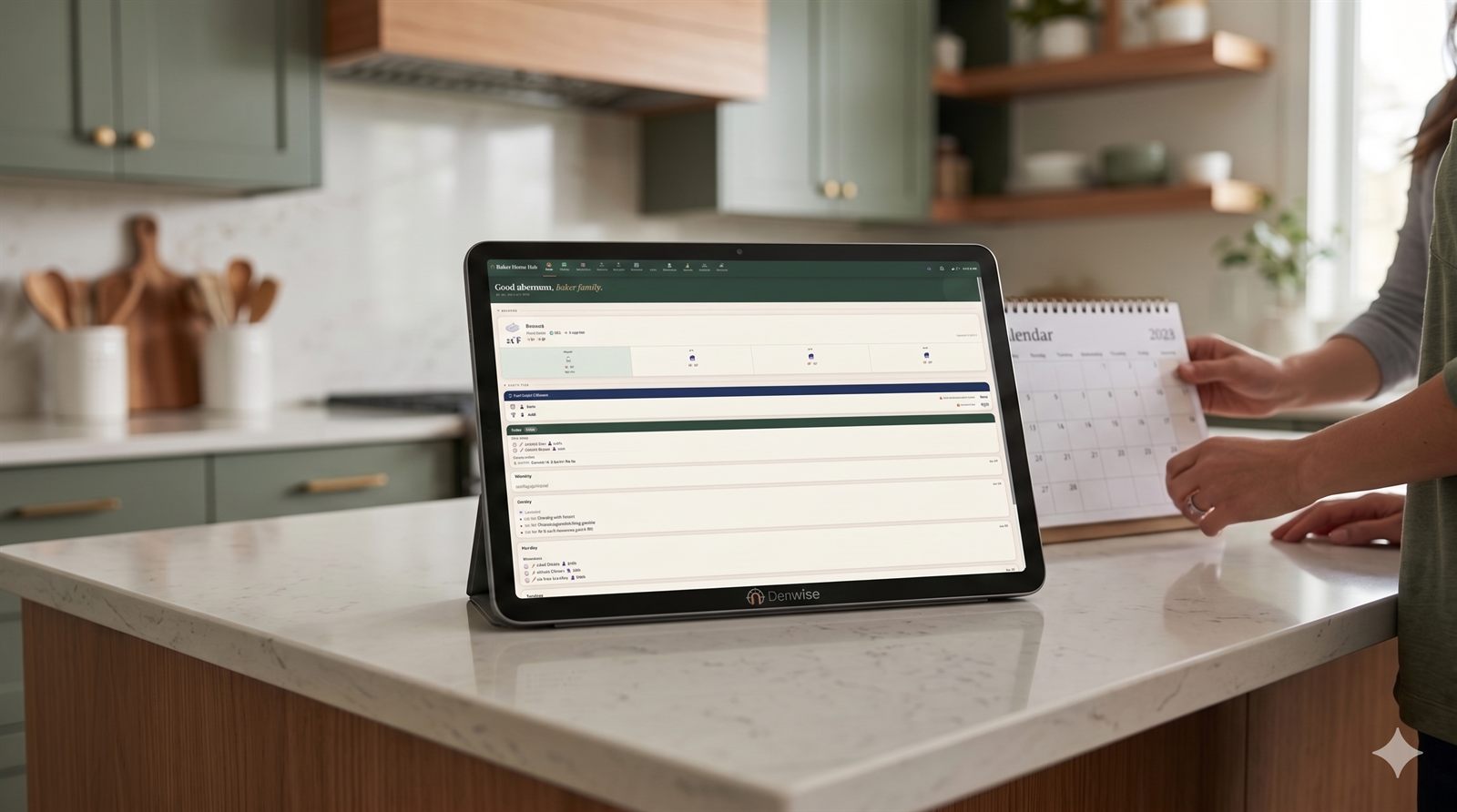
Your family already runs on software. It just isn't yours.
Every "smart family display" today is the same deal: it lives in someone else's cloud, it holds your calendar and your photos and your routines, and it bills you every month for as long as you want it to keep working. Stop paying and the screen goes dark.
You're not buying a product. You're renting access to your own family's information.
One screen for the whole house.
Denwise puts everything your household runs on into a single wall-mounted display — and runs it entirely on a small computer in your home. No accounts on our servers. Your family's data stays on your device. No subscription holding it hostage.
- Shared calendar — everyone's schedule, color-coded, in one glance.
- Chores — assigned, rotated, and tracked automatically.
- Meal planning — the week's meals, decided and visible.
- Budget & bills — spending and due dates before they bite.
- Games & companions — quick family games and a virtual pet the kids raise.
- Photo screensaver — a family photo frame when it's idle.
- AI kitchen helper — recipe and planning help, using your own API key.
- Cameras, if you have them — most IP cameras, low-latency, on the same screen.
One hub. Everyone's in it.
A family display only earns its wall space if the whole family uses it — not just the parent who set it up. Denwise is built for everyone in the house, and you decide what shows up.
For the grown-ups.
The shared calendar, budget and bills, meal planning, and household chores — the logistics that actually run a family, in one glance by the door.
For the kids.
Their own chores and points, a reward store you set up, quick family games, and a virtual companion they raise as they pitch in. PIN-gated where it needs to be.
Made yours.
Turn modules on and off, reorder the nav, pick who sees what. Run the full household or just a calendar and photos — the hub is whatever your family needs it to be.
It's yours. All of it.
You own it.
One purchase, perpetual use. The optional yearly fee buys updates — let it lapse and the hub keeps doing everything it did the day you bought it.
It stays private.
Calendar, photos, budget, and camera feeds all live on your device. There's no cloud to breach, sell, sunset, or hold your routines hostage.
It never bricks.
Self-hosted and offline-capable. Stop paying and you lose access to new updates — nothing else.
| Cloud family displays | Denwise | |
|---|---|---|
| Where your data lives | Vendor's servers | Your device, at home |
| Cost model | Monthly/annual, forever | One-time + optional updates |
| If you stop paying | Stops working | Keeps working |
| Scope | Mostly calendar + photos | Everything the whole family runs on |
| Hardware | Proprietary / locked | Any Raspberry Pi, or your own Docker host |
Up and running in an afternoon.
- Get the hardware. Follow our parts list and use a Raspberry Pi you choose. Already have a home server? Run it in Docker instead.
- Flash and mount. Write the image, mount the touchscreen on the wall, power it on. It boots straight into the dashboard.
- Connect your stuff. Link your calendar, point it at your cameras, set up chores and budget. That's it — no account to create on our end.
What's on the screen.
A calendar everyone actually sees.
Works out of the box — add events right on the hub with no account to connect. Want your existing calendars too? Pull in Google, Outlook & Apple, give each its own color, and choose which family members it shows on. Recurring events, all-day items, the works — where the whole house walks past it.
Chores that run themselves.
Assign tasks, set rotations, and let the board track who's done what. Tap to complete — no nagging required.
Meals, planned.
Decide the week's dinners once and keep them on the wall. Pair it with the AI helper to turn "what's in the fridge" into a plan.
Money, in plain sight.
Track spending against a budget and keep bill due-dates visible before they turn into late fees. A day-by-day balance projection shows your money forward across the month — income on its paydays, each bill on its due date, overdue bills flagged — so you can see a low balance coming before it arrives.
Something for the kids.
Chores that earn points, a reward store you control, quick family games, and a virtual companion they raise as they help around the house.
A photo frame when you're not using it.
Idle time turns the screen into a rotating gallery of your own photos.
An AI helper on your terms.
Bring your own API key — or run an open-weight model on your own hardware (Ollama, LM Studio) — for recipe ideas, meal plans, and quick answers. Nobody meters or marks up your usage, and a local model keeps your prompts on your network for free.
Your cameras, if you have them.
Denwise works with most IP cameras — anything that speaks ONVIF or gives you a plain RTSP link. Feeds stream to the display over WebRTC, smooth and low-latency, with no second app to open.
Pay once. Update if you want to.
Buy the software outright, or subscribe for a lower yearly price. Either way, if you ever stop paying, the hub keeps working — you just stay on your current version.
Already own Denwise and just need another year of updates? Renew for $39.99/yr.
Just purchased? Head to Get Started to download and activate.
Hardware — build your own from our parts list; it runs on a Raspberry Pi you own or any machine with Docker.
Questions & trust.
Does my family's data go to your servers?
No. The app runs on your device and your data stays there. The app collects no analytics or telemetry. The only things our servers know are your purchase email, a hub ID, and your update status — so we can deliver updates. (If an automatic update ever fails, the hub can send a scrubbed diagnostic log with no personal data — and you can turn that off in Settings.)
What happens if I stop paying?
Nothing breaks. You keep the version you have, forever. Renewing just unlocks newer versions.
Can I see the source?
Yes — Denwise is source-available. You get the full source with every copy and can read, audit, and modify it for your own hub. The license (Business Source License 1.1) lets you do anything except resell it or run it as a paid service for other people — and three years after each release ships, that version automatically becomes fully open source (Apache-2.0). In plain terms: you can see exactly what runs in your home, and Denwise will outlive us.
What hardware do I need?
A Raspberry Pi and a touchscreen, or any machine that runs Docker. Follow our parts list to build your own.
Is it hard to set up?
If you can flash an SD card, you can do it in an afternoon — the hub boots into a guided on-screen setup wizard, no command line needed. Prefer to self-host on a machine you already own? Download the Docker archive and run the installer. After you buy, the Get Started page walks you through it.
Can I try it before I buy?
Yes — click through the live demo right here in your browser (sample data, nothing to install). When you're ready, buy a license and run the real thing in your home.
What if I need help?
Send it straight from the app's built-in Feedback & Issues box — it reaches us with your hub's context (scrubbed of personal data), and we build updates regularly. Prefer email? support@denwise.app.
What cameras work?
Most IP cameras. Denwise streams anything that speaks ONVIF (the standard the majority of cameras support) or gives you a plain RTSP/RTMP/HTTP link — it can even scan your network to find ONVIF cameras. Brand presets for Reolink, Amcrest, Dahua, Hikvision, and UniFi Protect make setup a couple of taps.
Built by a family, for families.
Denwise wasn't designed in a focus group — it runs a household of six, every day.
Take your family's data back.
One screen for the whole house. Yours to keep.